

Download Utopia P2P – Secure Decentralized Privacy Platform
Overview
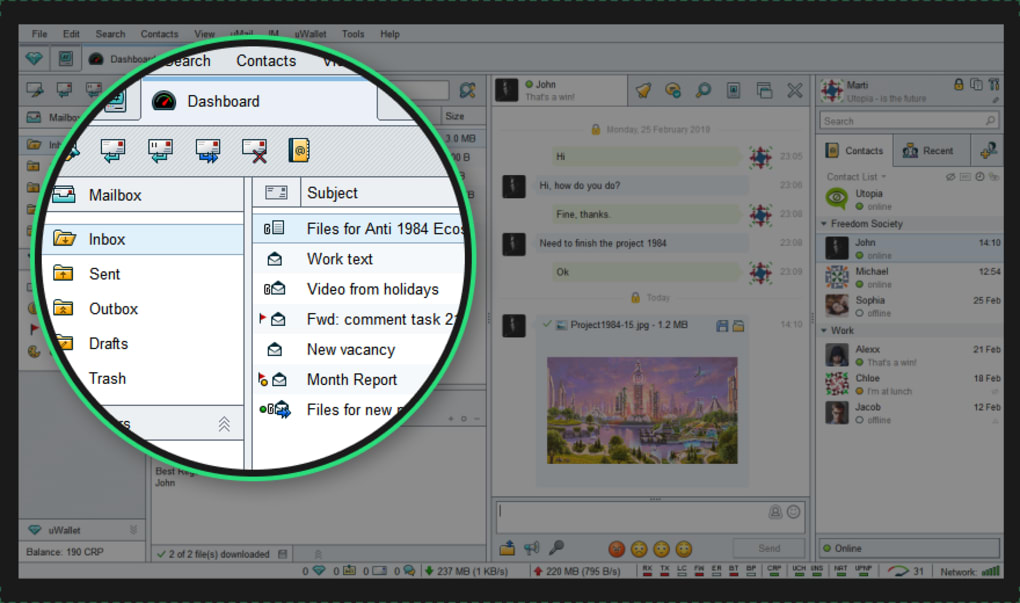
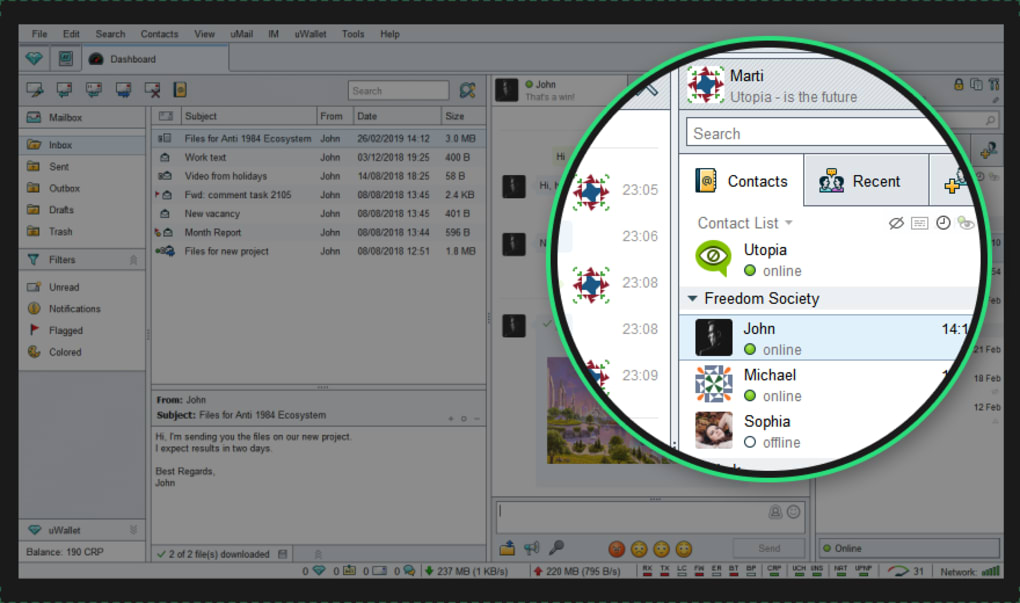
Utopia P2P is a privacy‑first ecosystem that brings together instant messaging, group chats, encrypted email, file sharing, a private web browser, and a native cryptocurrency (Crypton CRP) under a single, server‑less application. Unlike conventional services that rely on central data centers, Utopia builds its network on a peer‑to‑peer (P2P) mesh, routing traffic through a distributed web of user nodes. This architecture eliminates a single point of control, making surveillance, censorship, and data harvesting significantly harder for third parties.
All communications are protected with Curve25519 key exchange, AES‑256 encryption, and end‑to‑end verification, ensuring that only the intended participants can read messages, listen to voice calls, or access transferred files. The platform’s design philosophy balances strong cryptography with an intuitive interface, aiming to lower the barrier for newcomers while still satisfying seasoned privacy advocates. Although the community remains relatively small compared to mainstream messengers, the bundled tools provide a compelling “all‑in‑one” solution for anyone who values anonymity and wants to keep their digital life out of the hands of corporations or governments.
Utopia is available for desktop (Windows, macOS, Linux) and mobile (Android, iOS), offering a consistent experience across devices. While the software is closed‑source—a point of contention for some auditors—its developers publish regular security updates and encourage users to follow best practices such as strong passwords, two‑factor authentication, and careful handling of public keys. In short, Utopia P2P delivers a versatile, encrypted environment that lets you chat, browse, trade, and share files without ever touching a central server.
Core Features
- End‑to‑End Encrypted Messaging: Text, voice, and video chats use Curve25519/ECDH key exchange and AES‑256 for perfect forward secrecy.
- Decentralized File Transfer: Files are sent directly between peers; no cloud storage is involved, reducing metadata exposure.
- Private Browser: Built‑in web view routes traffic through the P2P network, blocking trackers and preventing DNS leaks.
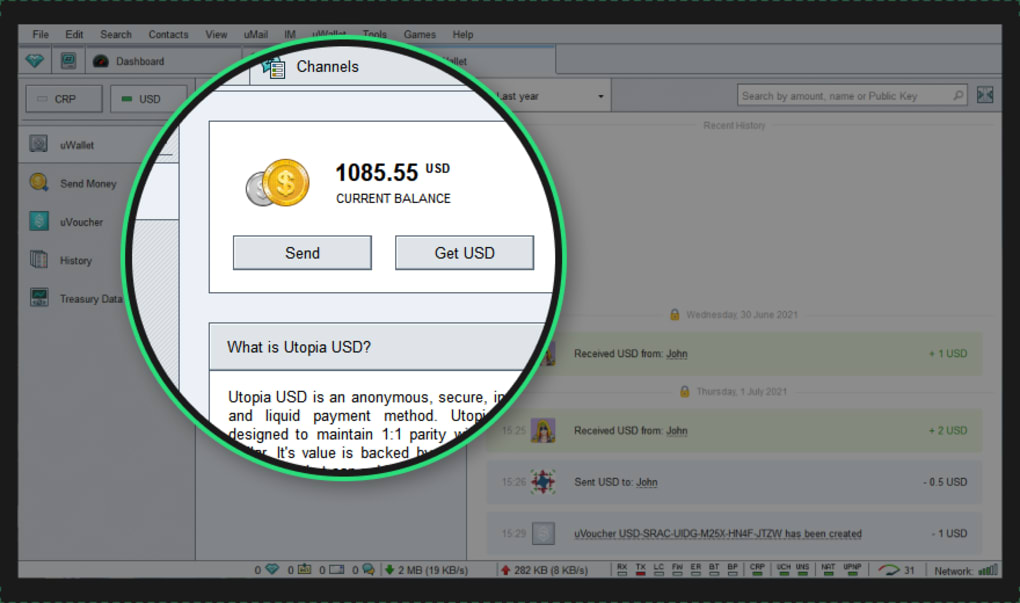
- Crypton (CRP) Wallet: Integrated cryptocurrency enables pseudonymous payments, tipping, and marketplace transactions.
- Channel & Community Tools: Create public or private channels, set read receipts, customize notifications, and manage contacts.
- Cross‑Platform Availability: Native clients for Windows, macOS, Linux, Android, and iOS ensure seamless synchronization.
- Self‑Hosted Identity: Users generate their own key pair; no email or phone verification is required, preserving anonymity.
- Open API (Beta): Developers can build extensions or bots that interact with Utopia’s messaging and wallet services.
- Regular Security Updates: The development team pushes patches to address vulnerabilities and improve performance.
- Low‑Bandwidth Operation: Adaptive routing optimizes data flow, allowing the app to function on slower connections.
Installation, Compatibility & Usage Instructions
Getting started with Utopia P2P is straightforward. Follow the steps below to download, install, and begin using the platform on your preferred device.
Desktop (Windows, macOS, Linux)
- Visit the official Utopia website and click the “Download” button for your operating system.
- Run the installer (Windows *.exe, macOS *.dmg, Linux *.AppImage) and follow the on‑screen prompts.
- During installation, you will be asked to create a new wallet. Choose a strong passphrase and store the recovery seed offline.
- After launch, the application will generate a unique Utopia ID (a 66‑character public key). Share this ID with contacts to start chatting.
- Use the “Channels” tab to browse existing public communities or create your own private group.
- To browse anonymously, open the built‑in browser from the left‑hand menu and navigate as you would in any web client.
Mobile (Android & iOS)
- Open Google Play Store or Apple App Store and search for “Utopia P2P”.
- Tap “Install” and wait for the app to download.
- On first launch, grant the app permissions for microphone, storage, and network access.
- Create a new wallet or import an existing seed phrase. Remember to enable biometric lock for added security.
- Sync your contacts by scanning QR codes or manually entering Utopia IDs.
- The mobile UI mirrors the desktop layout, allowing you to send encrypted messages, share files, and browse the web on the go.
Utopia P2P supports Windows 10/11 (64‑bit), macOS 10.14 and newer, major Linux distributions (Ubuntu, Fedora, Debian), Android 8.0 and above, and iOS 13 or later.
Best Practices for Secure Usage
- Never share your wallet recovery seed with anyone.
- Enable two‑factor authentication (2FA) for the wallet if your device supports it.
- Regularly update the application to receive the latest security patches.
- Verify the public key fingerprint of contacts through an out‑of‑band channel (e.g., voice call).
- Limit the size of files transferred in low‑bandwidth environments to avoid dropped connections.
Pros, Cons, FAQ & Conclusion
Pros
- True end‑to‑end encryption across all communication channels.
- Decentralized architecture removes reliance on central servers.
- All‑in‑one suite (messenger, browser, wallet) reduces the need for multiple apps.
- Cross‑platform support ensures a consistent experience on desktop and mobile.
- Integrated cryptocurrency enables seamless, pseudonymous transactions.
Cons
- Closed‑source code may deter security‑focused auditors.
- Relatively small user base can lead to slower file transfers and fewer active channels.
- Liquidity for Crypton (CRP) is limited compared to mainstream cryptocurrencies.
- Initial setup (key generation, wallet seed management) can be intimidating for non‑technical users.
- Network performance depends heavily on peer availability, which varies by region and time of day.
Frequently Asked Questions
Is Utopia P2P completely anonymous?
Utopia provides strong pseudonymity by using public‑key identifiers instead of personal data. However, metadata such as IP addresses can still be observed by network peers, so using a VPN or Tor in conjunction with Utopia improves overall anonymity.
Can I use Utopia without the Crypton wallet?
Yes. The wallet is optional; you can disable it during installation or simply ignore it after setup. All messaging and browsing features work independently of CRP.
How does file transfer speed compare to traditional cloud services?
Transfer speed depends on the number of active peers and their connection quality. In optimal conditions, speeds are comparable to direct peer‑to‑peer protocols like BitTorrent, but they may be slower during off‑peak hours or in regions with few nodes.
Is the private browser truly safe from tracking?
The built‑in browser routes traffic through the Utopia network, which blocks many common trackers and prevents DNS leaks. Nevertheless, websites can still employ fingerprinting techniques, so combining the browser with a VPN adds an extra layer of protection.
How frequently are security updates released?
The development team follows a monthly release cycle for minor updates and issues patches immediately when critical vulnerabilities are discovered. Users are notified within the app and encouraged to update promptly.
Conclusion & Call to Action
Utopia P2P stands out as a robust, privacy‑centric platform that unifies messaging, browsing, and cryptocurrency under a decentralized umbrella. While its closed‑source nature and modest community size may give some pause, the strong encryption, server‑less design, and cross‑platform availability make it a compelling choice for anyone serious about protecting their digital communications. If you value anonymity, want to avoid centralized data collection, and are comfortable managing your own cryptographic keys, Utopia offers a practical, all‑in‑one solution.
Ready to take control of your online privacy? Download Utopia P2P now, set up your secure wallet, and join a growing network of users who refuse to be tracked.







